Steam demo: account deletion risk
TL;DR — After you transfer an existing Epic Seven login to Steam Login, do not use in-game account deletion on the Steam demo/client. Official STOVE precaution states that can wipe account data, including progress on the original server. Prefer the withdraw-then-convert recovery path on the transfer guide, and confirm wording on STOVE before acting. Unofficial warning page.
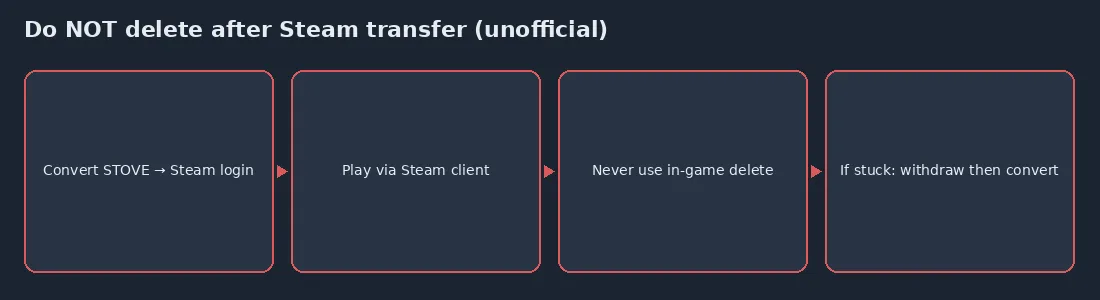
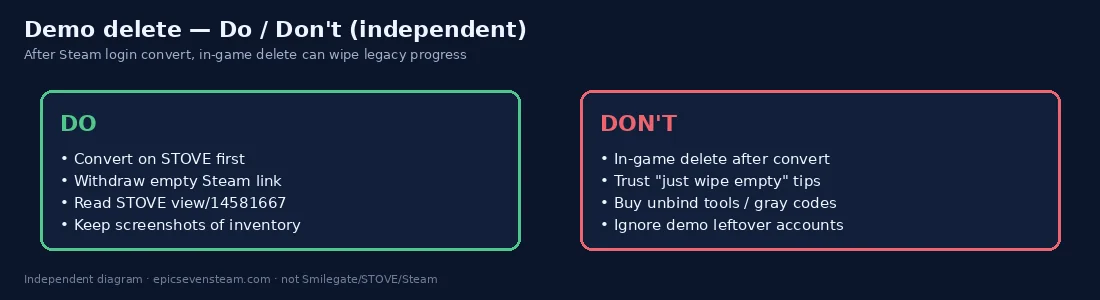

Official precaution (paraphrased): If you transferred your existing Epic Seven login to Steam Login, then used in-game account deletion in the Steam demo, all account data — including progress on the original server — can be deleted.
Do / Don't
| Do | Don't |
|---|---|
| Convert email/SNS → Steam Simple Login on STOVE first | Launch Steam first and treat a blank Heir as your main |
| Withdraw a wrong Steam-linked STOVE account via STOVE UI | Use in-game account deletion on demo/client after transfer |
| Read STOVE demo precaution + Steam FAQ before acting | Trust Discord DMs selling “instant unlock” tools |
| Keep screenshots of currency/heroes/Epic Pass | Assume demo leftover accounts are harmless |
What to do
- Prefer withdraw-then-convert if Steam created an empty linked account.
- Install/play the full Steam release (app 5019180) instead of relying on demo leftovers.
- Re-read STOVE demo precaution https://page.onstove.com/epicseven/global/view/14581667 before any delete UI.
- Keep this site’s transfer guide open while you work — unofficial, cite STOVE.
How this differs from withdrawing a Steam-linked STOVE account
STOVE account withdrawal (for a wrong Steam-linked empty account) is the official-shaped recovery path summarized on the transfer guide. In-game account deletion on the demo/client after a Steam login transfer is the danger called out in STOVE’s demo precaution — do not confuse the two.
- Wrong-bind recovery: authorize the empty Steam link on STOVE → withdraw that STOVE account → convert the original login.
- Demo deletion risk: after Steam login transfer, in-game delete on demo/client can wipe original-server progress per STOVE.
- If unsure which path you are on, stop and re-read the transfer guide + live STOVE notices before clicking delete.
Read before any delete UI
Do not confuse STOVE withdraw (wrong Steam link) with in-game demo deletion after transfer — only the latter is the wipe risk in STOVE’s precaution.
Demo deletion FAQ
Can demo/client account deletion wipe my old server?
Yes — STOVE’s precaution warns that after Steam login transfer, using in-game account deletion on the demo/client can wipe original-server progress. Verify on STOVE before acting.
Is withdrawing a wrong Steam link the same as deletion?
No. Withdraw the empty Steam-linked STOVE account via STOVE’s account tools, then convert the original login. That is the recovery outline — not the in-game delete button on a demo session.
I already clicked delete — what now?
Stop further experiments. Collect screenshots and contact Epic Seven CS through official STOVE channels. This unofficial page cannot restore data.